An alarm you actually have to wake up for.
Complete a mission. Sensors and on-device AI prove you did it. Then your alarm stops.
Push-ups, squats, steps, math, barcode scanning, and more — built for people who keep turning normal alarms off.

Free to download · Pro yearly or Premium lifetime, bought in the app
11 missions · AI verification · 70 tones · EN / RU / UZ
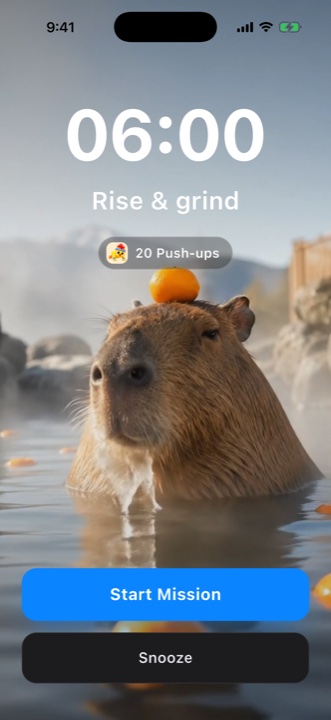

Built for people who sleep through normal alarms.
Out of bed in three steps
Pick a mission
Choose what it takes to shut it up — math sprints, camera-counted push-ups, or a barcode across the room. Set the difficulty.
It rings for real
A full-screen system alarm on iOS 26 — on the lock screen, through silent mode, even if the app was closed the night before.
Prove you're up
The alarm is dismissed only when the mission is done. By then you're standing, thinking, awake — and your streak grows by one.
Your alarm doesn't trust you. AI checks.
Tapping “done” means nothing. The camera watches your push-ups, counts every rep, and only a completed mission dismisses the alarm.
- Alarm rings
- 20 push-ups
- AI verification
- Mission completed
- Alarm stops
Pick how hard it is to go back to sleep
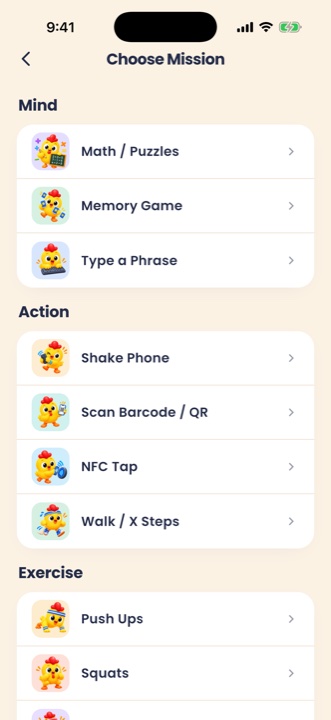
Mind
Force the brain online before your thumbs find the snooze button.
Action
Shake it, walk it, or go find the barcode, QR code, or NFC tag you registered — it lives in another room.
Exercise
Get the blood going — the front camera counts every rep, on-device.
Camera
Show the household item the alarm asks for — on-device AI checks the photo before the alarm stops.

Math / Puzzles
Quick-fire equations to boot your brain.

Memory Game
Watch the pattern, then repeat it back.

Type a Phrase
Retype a random phrase — typos don't count.

Shake Phone
Shake the phone until the counter fills up.

Scan Barcode / QR
Scan the barcode or QR code you registered — it lives in the bathroom.

NFC Tap
Tap the tag on the far side of the room.

Photo of Item
Find the household item the alarm asks for.

Walk / X Steps
Walk it off — counted by the motion sensor.

Push Ups
The front camera counts every rep on-device — or the proximity sensor does, if it's too dark.

Squats
Camera-verified squats, counted as you go.

Jumping Jacks
Jump until the camera says you're done.
Straight from the app
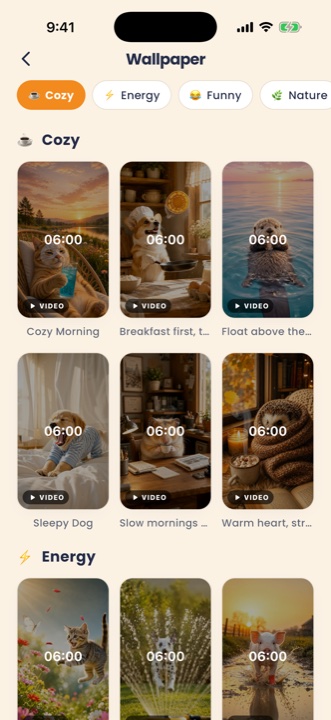
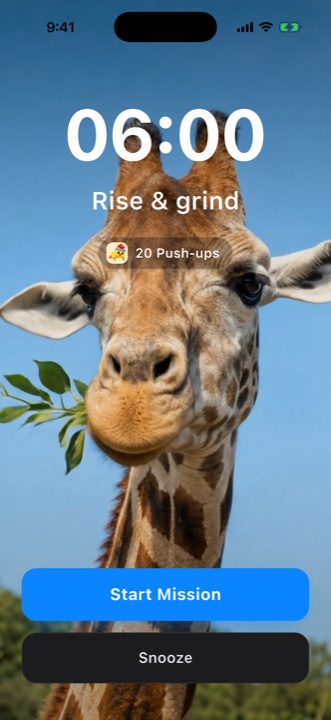
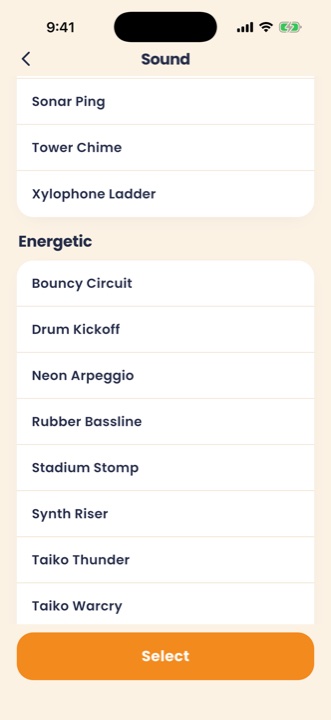
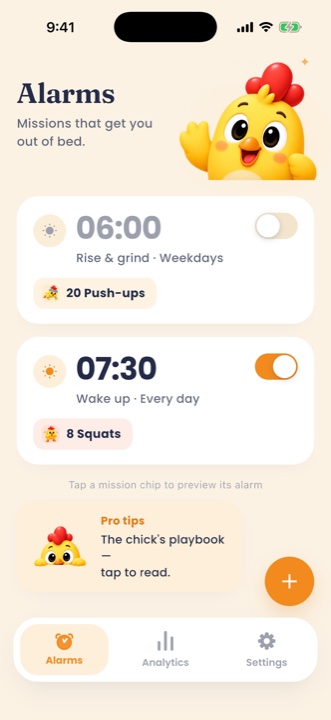
Wake up. Keep the streak.

Streaks
Every alarm you beat grows the chain — and breaking it hurts more than getting up.
Wake-up analytics
Your real wake times charted against the plan — catch the drift before it becomes a habit.
Lock-screen countdown
On iOS 26, your next alarm can show on the lock screen with a live countdown once it is less than 8 hours away. uAlarm starts the countdown itself when you set, change or switch on an alarm within those hours — it does not appear on its own. No more 3 a.m. “did I set it?” checks.
Speaks your language
English, Русский, and Oʻzbekcha — every screen, every mission, and the alarm buttons the app controls.
Mornings that look and sound like you
Wallpaper themes in four moods — Cozy, Energy, Funny, and Nature. Every video theme brings its own soundtrack, plus 70 alarm tones in five categories, from Gentle to Extreme. Audition everything before you commit.
Simple plans, no free trial
The app is free to download. Pro is a yearly subscription and Premium a one-time lifetime purchase — both bought in the app through the App Store or Google Play.
Pro
$29.99
per year
Yearly subscription. Renews until you cancel it in your store settings.
Premium
$89.99
one-time
Lifetime access. Pay once, no renewals — everything Pro has, forever.
No free trial, no tricks. US prices shown; the App Store or Google Play bills in your local currency and prices differ by country.
Paying from Uzbekistan? See how to pay with Payme or Click
FAQ
Will it ring on silent, or with the phone locked?
Yes. On iOS 26 and newer, uAlarm schedules a real system alarm (AlarmKit): a full-screen alert on the lock screen that cuts through silent mode and Focus. On older iOS versions it plays a loud in-app ring while the app is running, backed by an escalating burst of notifications — which follow your phone's silent switch.
What if I close the app the night before?
On iOS 26 and newer the alarm is registered with the system (AlarmKit), not kept alive by the app — it fires even if you closed the app the night before, and stopping the alert opens your mission. Swiping the app away mid-mission brings the alarm back within a few seconds, and reopening uAlarm drops you straight into the ringing alarm. On older iOS versions the app keeps itself ready in the background; if you swipe it away, you still get the escalating notification banners, but those follow your phone's silent switch — so leave uAlarm running overnight.
Can I cheat my way out?
Not really. AI counts camera-mission reps on-device (push-ups can fall back to the proximity sensor in the dark), steps come from the motion sensor, and once you register a barcode or an NFC tag, only that one dismisses the alarm — so you have to walk to where it is. Snooze is off by default: turn it on per alarm and pick 1–15 minutes (and a limit on how many times it can be used). Closing the app mid-mission brings the alarm back within a few seconds — and reopening it resumes the ring, not the home screen. On iOS 26 the lock-screen Snooze button is Apple's own and isn't counted against that limit.
What does the AI camera see?
The verification runs entirely on your iPhone. No video is uploaded, stored, or seen by anyone — the camera feed never leaves the device.
How much does it cost?
The app is free to download. On the free plan you can set up alarms, but they do not ring until you get Pro or Premium. uAlarm Pro is a yearly subscription ($29.99 a year in the US) and uAlarm Premium a one-time lifetime purchase ($89.99 in the US) — no renewals, and Premium includes everything Pro has. No free trial, no tricks. Your store bills in your local currency and prices differ by country. No account is needed to buy, except on Android in Uzbekistan, where the app asks you to sign in during setup because a purchase there is tied to your uAlarm account. A store purchase belongs to the Apple or Google account you paid with, and Restore Purchases brings it back on any phone signed in to it — moving it from whichever phone had it. To use it on two phones at once, sign in to the same uAlarm account on both.
Is there an Android version?
Not yet. Android is in development — the app is built with cross-platform code — but iOS ships first and there's no release date to announce.
Tomorrow morning, win.
Set one alarm tonight. Thank yourself at sunrise.
